macOS Menu Bar App
 NoDecaf
A lightweight menu bar app that keeps your Mac awake, smarter than a toggle. Trigger on apps, schedules and context, then forget about it.
Screens
A quick look
Stay awake, on your schedule.
NoDecaf is a lightweight menu bar app that prevents your Mac from sleeping, but smarter than a simple toggle. Set triggers based on running apps, schedules, and context, and let NoDecaf handle the rest.
Triggers
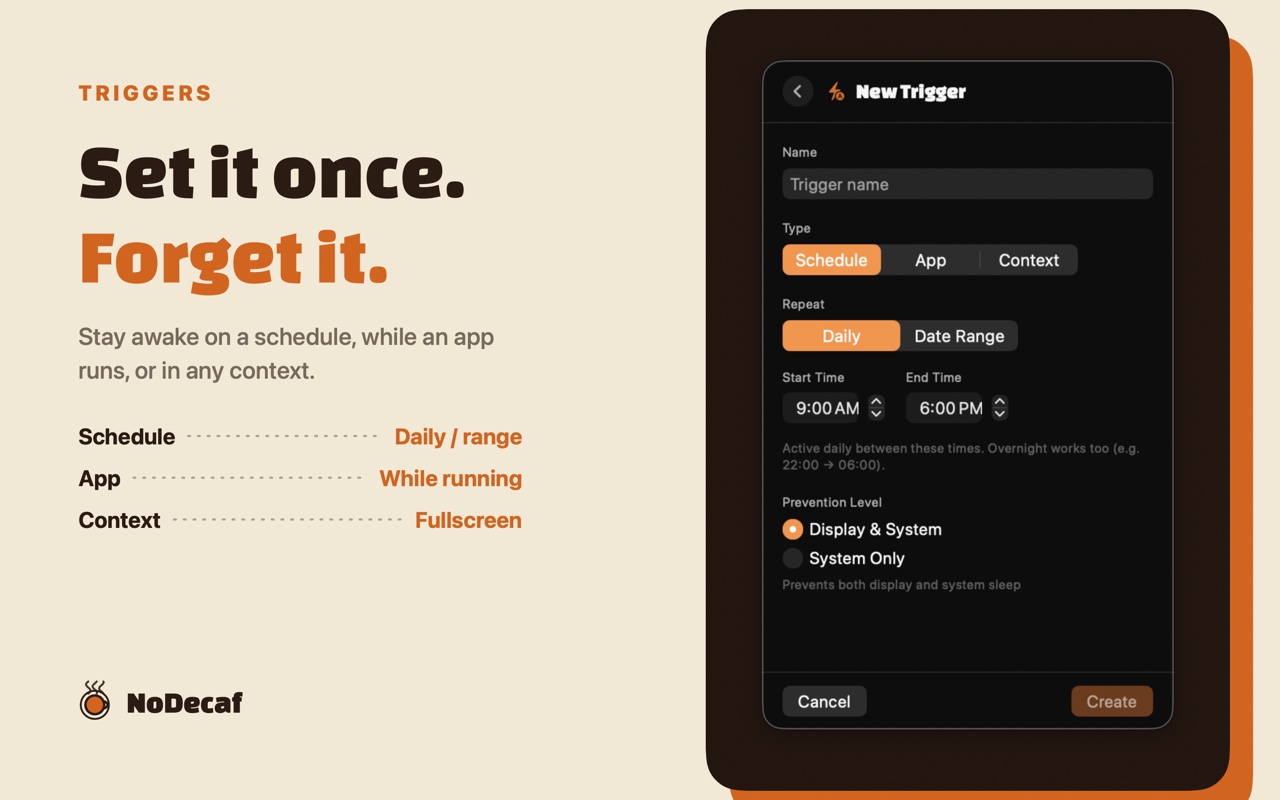
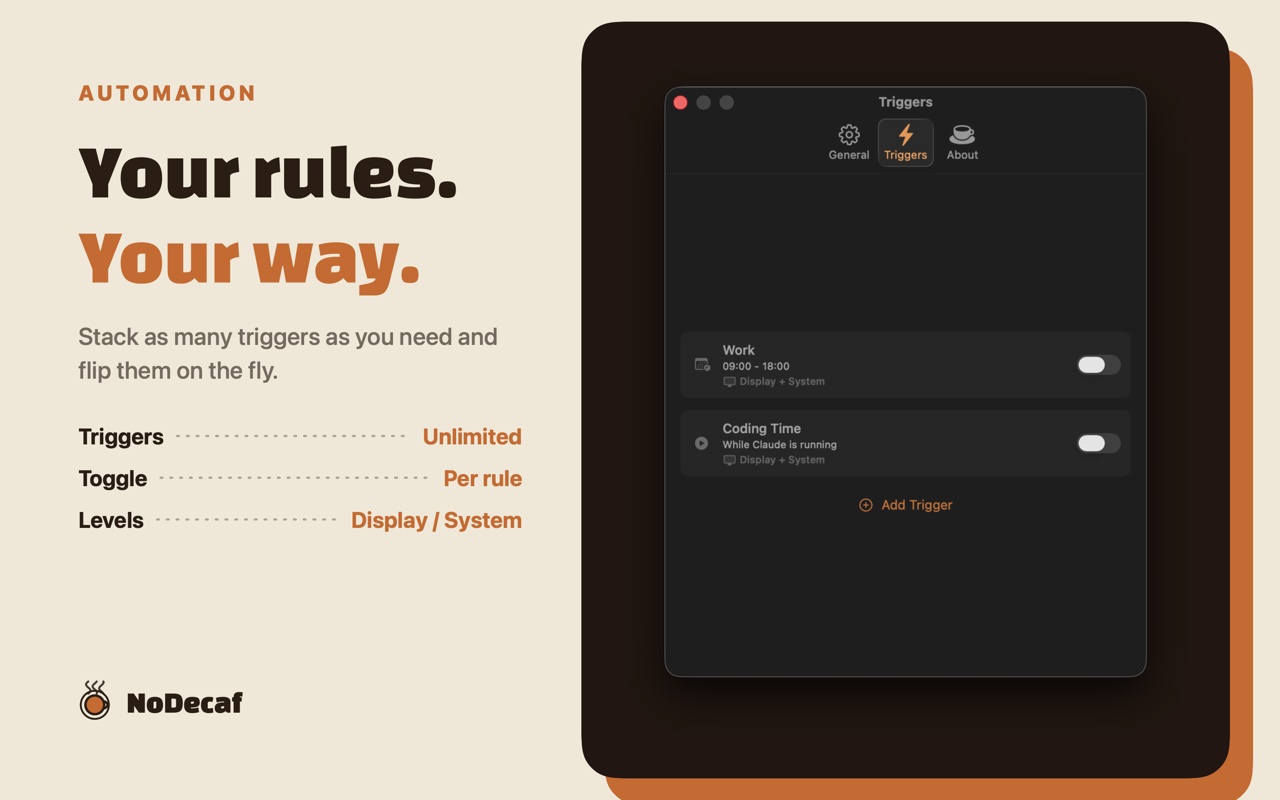
Create rules that activate automatically, without ever touching the menu bar.
App Triggers
Keep your Mac awake based on what you're actually using.
- Running — While a specific app is running
- Frontmost — Only while that app is the active window
- On Launch — For a fixed window after the app launches
Handy for video calls, long builds, renders, and streaming sessions.
Schedule Triggers
Activate on specific hours and days. Pick weekdays, the weekend, or any set of days; daily ranges and overnight ranges (e.g. 22:00 → 06:00) are both supported, and single dates can be skipped. Great for meetings, focus blocks, and overnight downloads.
Context Triggers
React to what's happening on your Mac.
- Fullscreen App — Stay awake while any app is in fullscreen mode
- External Display — Stay awake while an external display is connected
- AC Power — Stay awake while plugged in, and let the Mac sleep on battery
Date-Range Scoping
Limit any trigger to a specific period — useful for travel, crunch weeks, or event coverage.
Built for macOS
- Menu Bar First — Lives quietly in the menu bar; no Dock icon, no clutter
- Status at a Glance — Icon and remaining time visible in the menu bar label
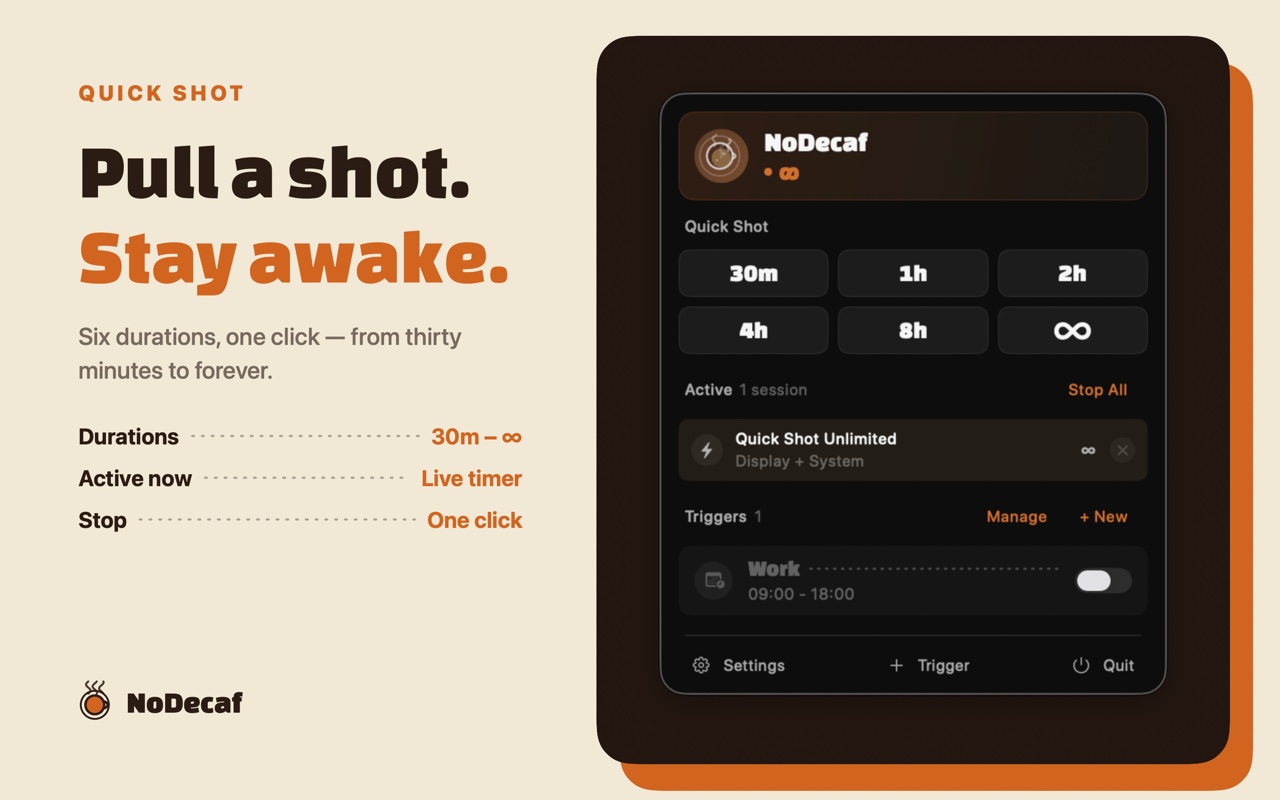
- Quick Shot Sessions — One click starts a timed session (30m, 1h, 2h, 4h, 8h, unlimited, or until a specific clock time) without touching your triggers
- Quick Extend — Add 15 minutes, 30 minutes, or an hour to a running shot, or set its exact finish time, right from its row in the popover
- Global Keyboard Shortcuts — Start or stop a shot (⌃⌥⌘C), extend it (⌃⌥⌘E), or end it (⌃⌥⌘S) from any app. Every combination is re-assignable in Settings, and no Accessibility permission is needed
- URL Scheme — Start, stop, and manage sessions from Shortcuts, Raycast, Alfred, or any scripting tool via
nodecaf:// - Native SwiftUI — Looks and behaves like a proper macOS app
Make It Yours
A modern, specialty-café-inspired interface you can tune to taste.
- Appearance — Force the popover and Settings into System Default, Light, or Dark, with no relaunch
- Nine Menu Bar Icons — Classic, Cup, Mug, Eye, Bolt, Flame, Sun, Moon, or Infinity
- Live Countdown — When a shot is pulling, the remaining time becomes the headline in the menu bar
- Reduce Motion — Steam, pulse, and press springs all stop under the system setting
Available in 2 Languages
English and Korean.
Privacy First
NoDecaf does not collect, store, or transmit any personal data. There are no accounts, no tracking, and no network calls. Every setting lives locally on your Mac.
Keep your Mac awake.
Download NoDecaf free on the Mac App Store.